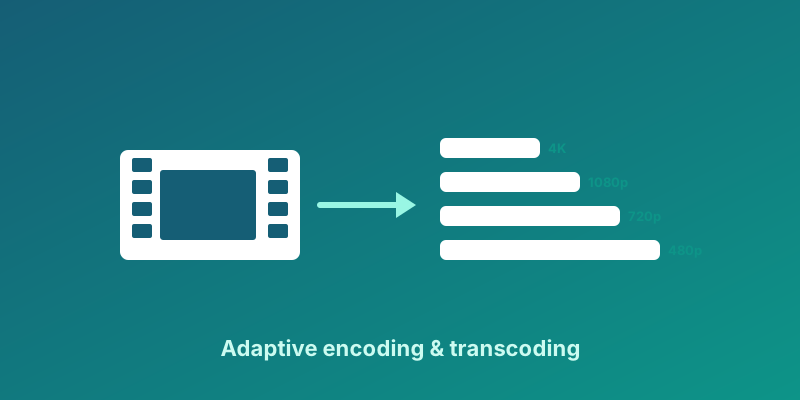
Adaptive bitrate streaming is the reason a train commuter can finish an episode on patchy LTE while a fiber household watches the same title in crisp 1080p without either side noticing a different product. The player does not commit to one file size up front. It maintains a buffer, estimates download throughput, and selects among pre-encoded renditions that share the same timeline. When bandwidth rises, quality steps up; when bandwidth falls, the player steps down before the buffer empties. ABR is not a codec and not a CDN feature by itself. It is a contract between encoders, packagers, edge caches, and player logic that keeps playback continuous under variable networks.
Three clocks that must stay aligned
Operators debug ABR faster when they separate three clocks. The network clock is how fast bytes arrive at the device. The buffer clock is how many seconds of media sit ready to decode. The display clock is what viewers experience as smooth motion versus stalls and resolution jumps. Encoding and packaging set the menu of renditions. CDN caching determines whether segment fetches complete inside one buffer window. The player algorithm decides which rendition to request next and how aggressively to probe upward. When support tickets blame Wi-Fi but ingest and ladders are healthy, the mismatch is often between buffer policy and ladder spacing, not raw megabits per second.
- Network clock: throughput measured over recent segment downloads, not speed tests run outside the app.
- Buffer clock: target depth trades startup delay against resilience to micro-outages on mobile handoff.
- Display clock: visible quality includes resolution, frame rate, and compression artifacts viewers notice on large TVs.
What an ABR ladder actually contains
An ABR ladder is a set of renditions derived from the same source master, each with its own resolution, bitrate ceiling, and codec profile, locked to identical segment boundaries. Packaging formats such as HLS and DASH expose those renditions as variant streams in a master manifest. Players treat each rung as interchangeable for a given time range: switching means fetching a different URL for the next segments, not seeking within one progressive MP4. Ladder design is where compression teams and playback teams meet. If rungs are too close in bitrate, players oscillate without visible benefit. If the lowest rung is still too heavy for rural 3G, viewers stall instead of stepping down. If keyframe intervals differ between rungs, switches produce flashes or audio glitches.
Strong ladders declare a content class policy: sports with high motion need higher floors; talking-head news can cap earlier. They document maximum resolution honestly tied to source quality, avoiding upscale rungs that waste bits. They align audio across variants so language and accessibility tracks do not force unnecessary video downgrades. They publish the ladder as versioned configuration reviewed like application code, because a silent ladder change affects every subscriber on the next play.
Rung economics: storage, encode, and CDN together
Every rung you add multiplies storage, transcode minutes, and origin egress during cache misses. Unused rungs are pure cost: analytics should show rendition selection histograms, not only average bitrate. If ninety-five percent of sessions never touch your 4K rung, that rung may exist for marketing slides rather than measurable quality. Conversely, removing the lowest rung to save money can spike rebuffering in emerging markets where growth lives. Finance and product should see the same chart: concurrent viewers times selected bitrate integrates to CDN spend, while encode cost amortizes across catalog hours.
- Inventory rungs by percentage of watch time, not by whether they look good in a spreadsheet.
- Model marginal cost of adding a 1440p tier versus upselling devices that cannot display it.
- Separate live event ladders from library ladders; live cannot be re-encoded later if the ladder was wrong.
- Revisit ladders when codec patents, device baselines, or data-plan sensitivity shift in your demographics.
How players switch (without magic)
Player ABR algorithms share a family resemblance even when marketing names differ. They maintain a buffer target, estimate throughput from completed segment downloads, and pick a rendition whose bitrate fits estimated throughput with safety margin. When throughput rises sustainably, they probe upward after a delay to avoid reacting to single lucky segments. When throughput falls or the buffer drains toward a panic threshold, they step down immediately, sometimes jumping multiple rungs. Switching happens at segment boundaries aligned to keyframes; mid-segment switches require independent segments and compatible codec parameters across rungs.
Hunting is the failure mode where the player flips between two adjacent rungs every few segments because their bitrates are too similar or the safety margin is too tight. Starvation is the opposite: the player stays on a high rung too long, the buffer collapses, and the viewer sees a long rebuffer followed by a harsh downgrade. Good tuning exposes knobs for startup behavior, maximum bitrate caps, and whether to prefer resolution or frame rate when constrained. Document defaults per platform; iOS, Android TV, and web desktop often need different buffer targets for the same ladder.
- Throughput estimate window: short windows react fast but jitter; long windows feel sluggish on sudden congestion.
- Switch-up delay: prevents oscillation after brief Wi-Fi recovery walking through a doorway.
- Switch-down urgency: aggressive downgrades protect continuity on live sports; gentle downgrades preserve quality on VOD binge sessions.
- Bandwidth caps: corporate networks and data-saver modes may require hard ceilings regardless of measured throughput.
Startup versus steady-state quality
The first ten seconds of playback dominate perceived quality even when average bitrate over an hour looks excellent. Startup is a different optimization problem from steady-state ABR. At play, the buffer is empty, so requesting the highest rung guarantees a long time-to-first-frame unless the network is generous. Most players therefore start on a conservative rung or a dedicated startup rung, then ramp after buffer depth exceeds a confidence threshold. Product teams often want instant HD logos on marketing screenshots; engineering teams know instant HD on cellular can mean three seconds of spinner instead. The honest KPI pair is startup time to first frame plus time to stable target quality, not peak resolution reached eventually.
Some operators ship parallel startup ladders: a lightweight first segment or I-frame playlist for snap start, followed by the main ladder for long-form viewing. Live streams complicate startup because viewers join mid-event; they inherit buffer state from live edge distance and playlist window size. VOD allows prefetch and offline download strategies that change the startup calculus entirely. Autoplay rails in browse pages should use stricter startup policies than detail-page play initiated deliberately, because unintended megabit spikes in scroll feeds create support noise.
Live ABR versus VOD ABR
VOD players can rewind, retry, and prefetch upcoming segments because the timeline is finite and stored. Live players chase a moving window where segment availability and encoder stability matter as much as CDN throughput. A live ladder must be encoded in real time; you cannot run a second pass overnight to fix a mis-set cap. Live ABR also interacts with ad insertion: stitched manifests must keep variant alignment or players switch into ad pods at the wrong rung. For VOD, misaligned captions or bad rungs can be fixed and republished; for live, the damage is reputational within minutes.
- Live: prioritize down-switch speed and conservative startup; expect higher manifest poll rates on low-latency modes.
- VOD: prioritize efficient storage and per-title encoding; use analytics on abandonment in the first thirty seconds.
- DVR and catch-up: clarify whether clients treat time-shifted live as live ABR or VOD ABR; policies diverge.
- Offline downloads: often a single fixed rung chosen at download time, not continuous adaptation during playback.
Metrics that prove your ladder works
Average bitrate alone flatters bad experiences: a session that stalls twice then plays 1080p still looks high in naive dashboards. Track rebuffer ratio, startup time, play failures, and rendition distribution per title and device class. Segment-level telemetry shows whether switches cluster at ad boundaries, Wi-Fi to cellular handoffs, or specific CDN POPs. Compare ladder versions with cohort flags when you roll out new encode presets. Quality-of-experience scores such as VMAF on sampled outputs help explain why viewers complain about a rung that meets bitrate targets but looks soft on sports grass.
- Define SLOs for startup and rebuffer per platform before marketing promises 4K everywhere.
- Alert on shifts in low-rung watch share; it often precedes CDN or peering issues regionally.
- Correlate player version with ABR regressions; algorithm changes ship in app releases too.
- Publish internal ladder IDs in analytics so support can identify which encode policy a session used.
Common failure patterns in production
Manifest CODECS attributes that do not match segment contents cause players to ignore rungs silently, stranding viewers on unintended defaults. Mixed keyframe intervals across rungs produce green frames at switches. Audio bitrate jumps between variants trigger audible artifacts when players group audio separately. CDN cache misconfiguration on playlists serves stale live windows while segments are fresh, confusing throughput estimates. Enterprise middleboxes throttle HTTPS video differently than speed tests, so lab Wi-Fi results mislead ladder sizing. Each pattern has a signature in telemetry if you instrument rendition lists attempted versus selected.
LinqTV Player SDK and adaptive playback
LinqTV treats adaptive playback as a first-class operator concern, not a hidden default inside a demo player. The LinqTV Player SDK exposes hooks to align startup policy, cap maximum rungs on cellular, and emit rendition events into the same analytics pipeline as entitlement and ad metrics. When evaluating stacks, ask how ladder updates propagate to clients without forcing app store releases, and how live versus VOD policies are selected per asset class. Proof-of-concept tests should include constrained networks and set-top boxes from your actual device long tail, because ABR behavior that looks flawless on developer laptops fails quietly on three-year-old TV sticks.
Checklist before you ship a new ladder
- Verify independent segments and aligned GOP across every rung in the packaging validator.
- Run player soak tests on 5 Mbps capped links and on bursty LTE simulators, not only offline LAN.
- Confirm audio groups and caption tracks survive switches on your strictest certified device.
- Document rollback: previous ladder version IDs and republish path if rebuffer SLOs regress.
- Train support with a one-page explainer on how to read rendition charts in customer sessions.
FAQ
How many rungs should an ABR ladder have?
Most OTT services land between five and eight video rungs for HD catalogs, plus audio-only or very low rungs for audio-heavy use. More rungs than that rarely help if adjacent bitrates are within twenty percent. Fewer rungs can work for niche audiences on homogeneous networks, but test on real mobile networks before cutting the bottom. Let analytics drive the count: if two rungs never receive watch time, merge or remove them in the next ladder version.
Should we optimize for highest resolution or smoothest playback?
Default to smoothest playback on cellular and congested Wi-Fi, with optional data-saver modes that cap resolution explicitly. On Ethernet-connected TVs, allow higher startup ambition once buffer health is proven. Product copy should not promise constant 4K unless your ladder, CDN, and device base support it for most sessions in target markets. Transparency builds trust: a settings toggle for maximum quality beats hidden throttling that looks like a broken app.
Why does quality drop after a few minutes even when bandwidth looks fine?
Players may probe down after buffer scares earlier in the session, or CDN mid-session routing may shift to a congested path. Some apps reduce quality when the app backgrounds or when thermal throttling limits decode on phones. Check whether the drop aligns with ad pod boundaries or SSAI manifest swaps. Compare CDN logs and player rendition events timestamped in UTC to see whether the network or the algorithm initiated the change.
Can one ladder serve mobile, web, and TV apps?
A single encoded ladder can serve all platforms if rungs span adequate low and high bounds and codecs are widely supported. Player policies should differ: TVs tolerate longer startup for higher initial rungs; mobile may need aggressive low starts. Some operators maintain two ladder variants from the same mezzanine, one capped at 1080p for cost and one with 4K for premium tiers, rather than forcing one policy on all business models.
How does ABR relate to HLS and DASH?
HLS and DASH are packaging and delivery formats that list ABR renditions in manifests and segment URLs. ABR is the behavior layer that chooses among those renditions during playback. You can implement ABR on either format; issues with switching are often ladder or player tuning problems even when manifests validate cleanly. See the HLS guide for manifest specifics and the encoding guide for how renditions are produced before packaging.
Related LinqTV pages